Is your SSL certificate in “Pending Validation” status after submitting your request? The delay could be due to one crucial step that is Domain Control Validation (DCV).
The Certificate Authority (CA) needs to make sure that you own the domain before issuing your SSL/TLS certificate. This can be done by sending an email, checking DNS records, or using HTTP file validation, among other methods, but choosing the right method and configuring it correctly can make all the difference.
If you’re worried about how to complete domain control validation for an SSL Certificate , then this blog is just for you.
Table of Contents
What Is Domain Control Validation (DCV)?
Domain Control Validation (DCV) is the procedure used by a Certificate Authority (CA) to ensure that you own a domain before they issue an SSL/TLS certificate.is SSL domain verification helps prevent unauthorized certificate issuance.
It is important to know the difference between Domain Validation (DV) vs Domain Control Validation (DCV). DV is a type of SSL/TLS certificate, DCV is a verification process that is used for domain control. Domain control checks are also a component of the process for issuing Organization Validated (OV) and Extended Validation (EV) certificates.
For example, if you request an SSL certificate for (example.com), the CA must verify your control over that domain before issuing the certificate. This step is an essential part of SSL certificate validation.
How Does SSL Domain Validation Work?
The SSL certificate domain validation process usually follows these steps:
- Request an SSL certificate: Choose a certificate that meets your website’s security requirements.
- Select a validation method: Your provider may offer email, DNS TXT/CNAME, or HTTP file validation.
- Verify domain ownership: Complete the instructions for your selected method.
- Wait for verification: The CA checks whether your proof of domain control is valid.
- Receive your certificate: Once all required checks are complete, the CA can issue your certificate.
The exact process depends on your certificate provider and certificate type. To verify domain ownership for SSL, start by checking the validation instructions in your provider’s dashboard.
Tip: Email and HTTP validation are usually the fastest methods and can often completed within minutes.
Important: Wildcard SSL certificates do not support HTTP file validation.
What Are the Different SSL Domain Validation Methods?
There are several SSL validation methods, and each works differently. The best option depends on whether you can access your domain’s email, DNS settings, or website files.
1. Email Validation
Email validation is a process of confirming domain control by sending an email to a valid email address
How to complete email validation:
- Select email validation in your SSL provider’s dashboard.
- Choose an eligible email address, if your provider offers a choice.
- Check your inbox, spam folder, and quarantine.
- Open the authorization email and follow its verification link.
- Return to your dashboard to check the validation status.
Common eligible addresses may include admin@yourdomain.com or administrator@yourdomain.com, depending on the CA’s policy.
Ideal for: Domain owners who can log in to an eligible email inbox.
If the email is not received, check the recipient address and determine if mail filtering is interfering with the email. Don’t assume that any personal email address will be accepted.
2. DNS Validation
DNS TXT validation verifies domain control by asking you to add a unique verification value to your domain’s DNS records. The CA checks the record to confirm that you control the domain.
How to complete DNS TXT validation:
- Log in to your DNS provider.
- Open the DNS management panel for your domain.
- Add a TXT record using the hostname provided by your CA.
- Copy the verification value exactly as shown in your SSL dashboard.
- Save the record and allow time for it to become publicly visible.
- Return to your dashboard and retry validation.
For example, the record may look like this:
- Record type: TXT
- Host name: As specified by the CA
- Value: CA-provided verification token
Ideal for: Administrators who control DNS settings, including those securing wildcard certificates or automating certificate issuance.
DNS validation is especially useful when you need to complete SSL domain ownership verification without uploading files to a website.
3. DNS CNAME Validation
CNAME validation is another DNS-based method. Instead of publishing a TXT value, you create a CNAME record that points from the hostname provided by the CA to a specified validation target.
How to complete it:
- Copy the CNAME hostname and target from your SSL provider.
- Open your authoritative DNS management panel.
- Add the CNAME record without changing unrelated records.
- Save the changes and check that the record resolves correctly.
- Retry domain validation through your certificate dashboard.
Pay attention to how your DNS provider handles hostnames. Some automatically append your domain name, which can result in an incorrect record if you enter the full domain twice.
Ideal for: Domain owners who want DNS-based validation, especially in the case where the CA can automate the process.
4. HTTP File Validation
HTTP file validation confirms domain control by asking you to upload a verification file to your website. The CA then tries to access the file and check its contents.
How to complete HTTP file validation:
- Download the verification file or copy its required contents.
- Upload it to the exact folder specified by your certificate provider.
- Open the verification URL in your browser.
- Confirm that the expected file is accessible and does not return a 404 error.
- Return to your SSL dashboard and retry validation.
For example, a provider may specify a path under /.well-known/pki-validation/. ACME HTTP-01 validation uses a different path: /.well-known/acme-challenge/. Always follow the exact instructions for your validation workflow.
Ideal for: Website administrators with access to the web server or hosting file manager.
Standard ACME HTTP-01 validation cannot be used to validate wildcard certificates. DNS-01 is the appropriate ACME challenge when wildcard validation is required.
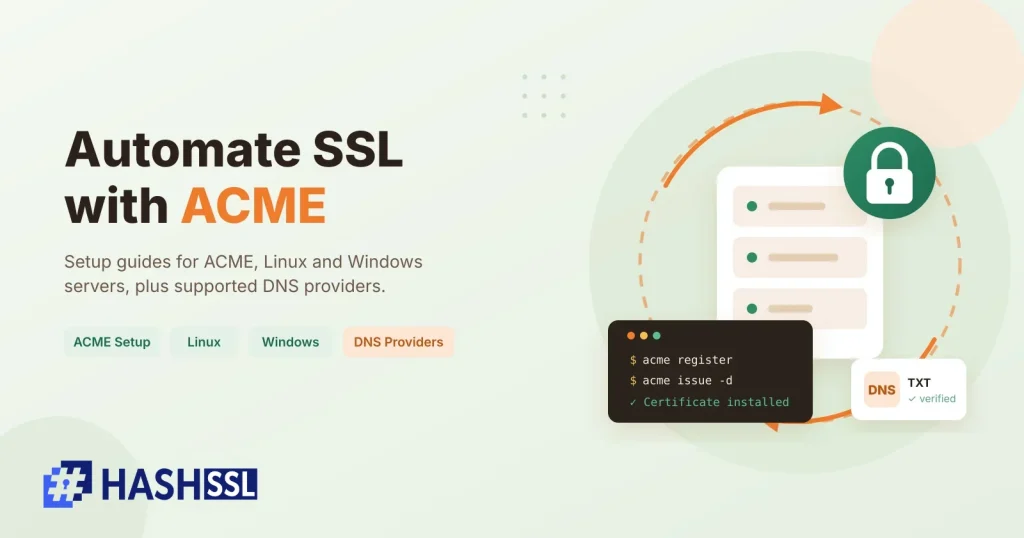
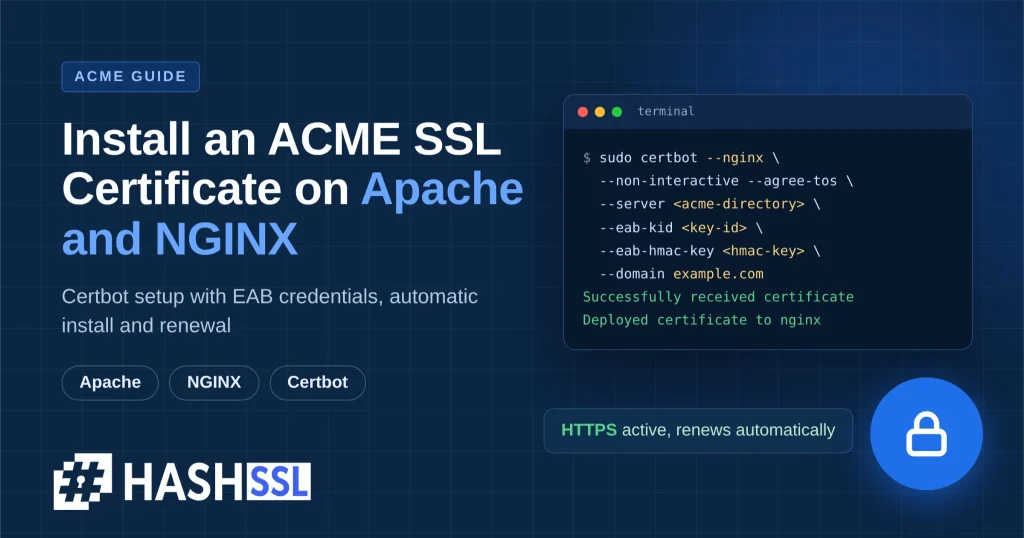
5. ACME Domain Validation
ACME is a protocol that automates SSL certificate issuance and renewal. An ACME client handles the required challenges, reducing the need for manual DCV SSL verification.
Two common options are:
- HTTP-01: Places a verification file on the web server for the CA to check.
- DNS-01: Adds a verification record to your domain’s DNS settings.
ACME DNS-01 supports wildcard certificates and can be used when a website is not publicly accessible. With suitable DNS provider integration, ACME can also automate recurring certificate renewals.
If you manage multiple websites or want to reduce manual work, automated domain control validation can make certificate management easier.
Which SSL Validation Method Should You Choose?
Here are the recommended methods for your situation
| Your situation | Recommended method |
| You can manage DNS records | DNS TXT or CNAME |
| You don’t have access to website files | DNS validation |
| You can upload files to your website | HTTP file validation |
| You need a wildcard SSL certificate | DNS-01 |
| You want automated certificate renewal | ACME with a supported challenge |
| You have access to an eligible email address | Email validation, if supported |
Each method can work well when configured correctly. Choose the option that matches your access and certificate requirements.
Why Is My SSL Certificate Pending Validation?
If your certificate remains pending, check for these common issues before retrying CA domain validation
DNS TXT or CNAME record not found: Verify the host name, verification value and authoritative DNS settings. Give time for the record to become publicly visible.
HTTP validation file returns 404: Make sure that the file is in the right folder and that the URL is correct, and that the contents match the CA’s instructions.
Validation URL redirects or gets blocked: Redirects, firewalls, Web Application Firewalls (WAFs), or geographic restrictions may prevent the CA from accessing the verification resource.
CAA record prevents issuance: A Certification Authority Authorization (CAA) record controls which certificate authorities are allowed to issue certificates for your domain. Before making changes to DNS, verify that the CA with which you are changing the record is authorized by the DNS policy.
DNSSEC or IPv6 issues: Incorrect DNSSEC configuration or an unreachable IPv6 address associated with an AAAA record can interfere with validation. Check your DNS configuration before making changes.
Validation email not received: Please check in your Inbox, Spam folders, the quarantine, and recipient eligibility. If your provider will accept it, request an alternate email.
Modern Certificate Authorities may use Multi-Perspective Issuance Corroboration (MPIC) to verify domain control from multiple network locations. DNS inconsistencies or blocked requests can cause failures even when validation works on your computer. If the issue persists, check your provider’s error message or contact support.
Does Domain Validation Need to Be Repeated?
The requirements for SSL certificate issuance validation during renewal depend on the CA and its certificate workflow
Certain providers will need a new validation for every certificate order, and some will permit the re-use of completed validation given certain conditions.
In multi-domain SSL validation, all hostnames listed in the certificate must meet the requirements of their respective validations. While a wildcard certificate can be used to cover multiple subdomains, it cannot be used for all hostnames or for unrelated hostnames.
Conclusion
Completing Domain Control Validation is an essential step in obtaining an SSL/TLS certificate. Whether you choose email, DNS TXT/CNAME, HTTP file verification, or ACME automation. If it still doesn’t work, verify your DNS records, verification files, email settings, and network restrictions before attempting to validate once more.
Understanding how to validate a domain for SSL can help you resolve common issues and complete the process with fewer delays.
Frequently Asked Questions
1. What is DCV in SSL?
DCV stands for Domain Control Validation. It is the process a certificate authority uses to confirm domain control before issuing an SSL/TLS certificate.
2. How long does SSL domain validation take?
Validation may finish within minutes when the required proof is correctly configured and accessible. DNS visibility, network restrictions, and CA processing can affect the time required.
3. Can I validate a domain without a website?
Yes. Validating domain control without having a working website is possible by using DNS TXT or CNAME validation.
4. Why is my SSL DNS validation still pending?
Check the DNS record name, token, and authoritative DNS configuration. Make sure the record is publicly resolvable before retrying validation.
5. Can I use HTTP validation for a wildcard SSL certificate?
Standard ACME HTTP-01 does not support wildcard certificates. ACME DNS-01 does.
6. Can CAA records block SSL certificate issuance?
Yes.Your CAA records may not allow for the issuing of certificates if you intend to use a different certificate authority.
7. Does domain validation need to be repeated during renewal?
It depends on the CA and its certificate workflow. Some providers require new validation for each order, while others permit validation reuse under specific conditions.
8. Can SSL domain validation be automated?
Yes.For ACME clients, automate supported DNS-01 and HTTP-01 challenges, to minimise manual effort when issuing and renewing certificates.